


Dressup: AI Photo Editor & Art
3.7346.00 Reviews
App Specs
- Version
- 1.6.5
- Updated On
- License
- Free
- Downloads
- 5,000,000+
- Developer
- Fillog Studio
- Categories
- Photography
- Platform
- Android
Screenshots
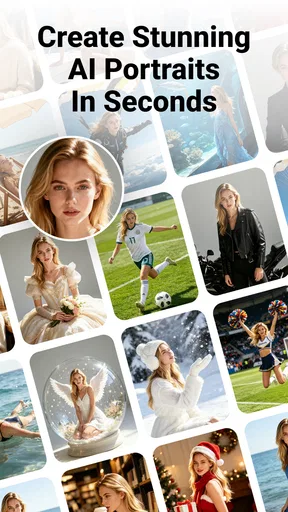

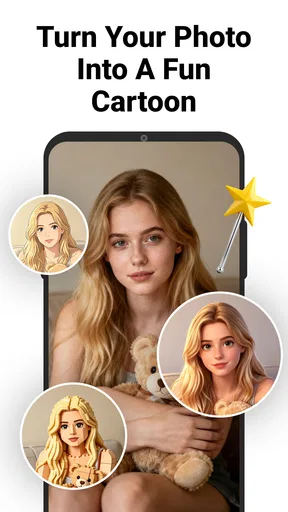
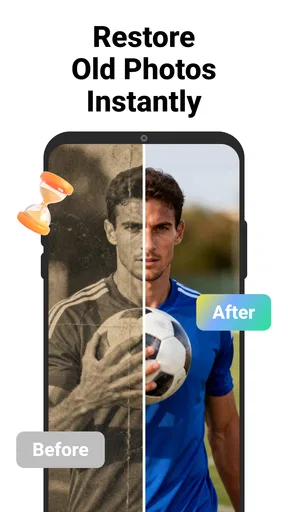
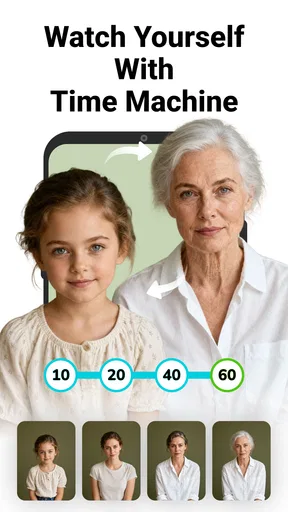

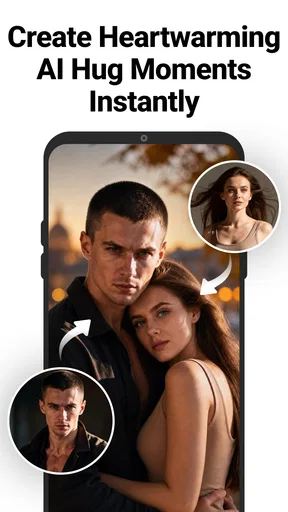
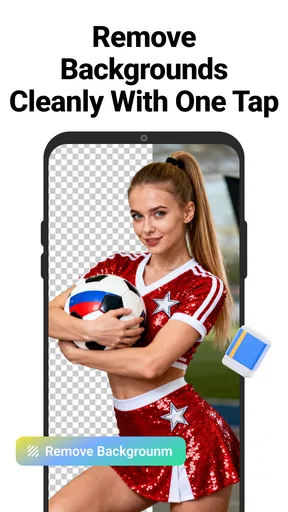
 Analysis by AppCompare
When several people share a phone or tablet, a photo editor can become more than a place to add filters: it may be where someone tries a new look, makes a picture for a family chat, or turns a snapshot into a playful gift. I find Dressup: AI Photo Editor & Art most appealing for that kind of casual, creative use. It brings AI-assisted photo and video ideas together with editing tools, but its broad range is also a reason to approach it with a little patience rather than expect every result to suit every person.
Making room for casual creativity
A realistic household use might be a rainy afternoon when one person wants to stylize a pet photo and another wants to make a birthday collage. The appeal is that both can explore visual changes without first learning a full desktop editor. I would still keep the original photo untouched and work on a copy; that simple habit makes it easier to compare the result and avoid losing a version someone prefers.
For a shared device, I would also decide whose images are being used before passing the phone around. A portrait can feel personal even when the edit is meant as a joke, so it is worth asking before turning another person’s face into an artistic effect or a video concept. The app is better treated as a creative tool than as permission to alter or share everybody’s pictures.
A quick workflow that keeps edits manageable
Rather than trying every tool in one session, I’d start with one photo and one clear aim: improve the overall look, try an artistic treatment, or build a collage. Save the result, then decide whether it actually helps. This makes it easier to tell whether an AI transformation is adding something useful or simply changing the image for novelty.
That approach is especially useful with portraits. Strong effects can alter the feel of a face, so I’d compare the edited image with the original before sharing it. For a family keepsake, a restrained result may age better than an eye-catching filter; for a playful group chat, the opposite may be exactly the point.
Who will enjoy it, and who may prefer another editor
I can see this being a good fit for people who want quick creative experiments in one mobile app, especially those who enjoy stylized images and collages more than precise retouching. It may also suit a household where different people want to try different looks on their own pictures, provided everyone agrees on how the images are used.
On the other hand, someone who needs careful, repeatable control over color, layers, or detailed retouching may be happier with a more specialist photo editor. A dedicated video editor is also a better choice when the goal is to assemble a polished clip with deliberate timing and fine control. Dressup’s attraction is its accessible mix of AI-led effects and photo creativity, not a promise to replace every focused tool.
Worth Reading Before You Choose

EA SPORTS FC Mobile 26 Is a Bigger Football Game, but It Takes Time

Flipboard Shows What News Apps Must Do Beyond the Feed

Switching to Android Auto Means Rethinking Your Driving Routine

Google Calendar Makes a Crowded Week Easier to Manage

Ludo King Makes the Most of the Minutes Between Plans

Baby Panda World Brings Quick Play to Modern Phones, but Its Game Library Feels Busy
What to consider before sharing a device
There is no reason to assume that an app designed for creative editing automatically provides separate household profiles or shared-use controls. If several people use the same device, I’d make the boundaries practical: keep personal photos in the device’s own protected area where available, avoid leaving an edit open for the next person, and check the image before posting it from a social account.
That last check matters because editing and publishing are separate decisions. A finished image may be fine to keep privately but not suitable for a public post, particularly if it includes a child, a friend, or a recognizable home setting. I would get the subject’s agreement before sharing a heavily transformed portrait, even when the result looks harmless.
Age, trust, and a sensible first try
The app is rated for Everyone, which makes it broadly accessible, but an age label is not a substitute for a parent or caregiver checking whether its editing style is appropriate for a particular child. AI transformations can produce unexpected or unflattering results, and young users may need help understanding that an altered image is not an accurate record of how someone looks.
For a first session, I’d use a non-sensitive picture and explore together, then review any result before saving or sharing it. That gives a child room to experiment while making the household’s expectations clear. The same routine helps adults who are unfamiliar with AI image tools: try one change, inspect the output, and decide whether it is worth keeping.
Cost and expectations
The app is free to download, while optional in-app purchases range from $2.99 to $199.99 per item. That is a wide spread, so I would check the specific purchase details shown in the app before confirming anything, especially on a device used by more than one person. A free download does not mean every tool or effect is necessarily available without a purchase.
For occasional edits, I’d begin with what is available without paying and see whether the results fit my routine. If the main draw is only one particular style, it makes sense to decide whether that feature is worth its displayed cost rather than buying on impulse. Keeping purchase approval with the account holder is a useful boundary on a shared device.
First impressions: the interface
Upon launching Dressup, the first thing that struck me was how sleek and user-friendly the interface is. Everything is intuitively laid out, so even if you're not a tech wizard, you'll find your way around with ease. The app opens up with a simple dashboard, giving you quick access to all the editing tools and features.
Editing features and choosing the right result
One of the coolest aspects of this app is its wide range of editing capabilities. From basic tools like cropping and adjusting brightness to more advanced features like AI-powered filters and effects, Dressup has got you covered. The AI technology is particularly impressive, automatically enhancing your photos without making them look over-edited.
What I love most is the AI Art feature, which allows you to transform ordinary photos into stunning works of art. You can choose from a variety of styles, ranging from classic oil paintings to modern digital art. It's like having a mini Picasso in your pocket!
For the best chance of liking an artistic conversion, I’d choose a photo with a clear subject and a background that is not too busy. Then I’d keep the original beside the edited version and ask whether the style still communicates what mattered in the picture. An effect can look striking on its own but obscure the expression or small details that made the original meaningful.
Customization and creativity
If you're like me and love to add a personal touch to your edits, you'll appreciate the customization options available in Dressup. You can adjust every little detail, from color gradients to texture overlays, giving you endless possibilities to express your creativity. Plus, the app offers a plethora of stickers, fonts, and frames to jazz up your photos.
Another highlight is the ability to create collages effortlessly. The app provides various templates and layouts that make compiling your favorite snaps a breeze. Whether it's a birthday, a vacation, or just a fun day out, you can capture the essence of your memories in a stylish collage.
My practical tip for collages is to choose the pictures first and then select a layout that gives the most important moment room to breathe. A template can make a set of images feel unified, but too many stickers, frames, and decorative elements can compete with the photos. I’d add those details last, after the images already tell the story clearly.
Performance and everyday use
In terms of performance, Dressup runs smoothly on both Android and iOS devices. I didn't experience any lag or crashes, which is a huge plus in my book. The app also saves edits quickly, so you won't be left twiddling your thumbs waiting for your masterpiece to render.
I also appreciate the seamless integration with social media platforms. With just a few taps, you can share your edited photos on Instagram, Facebook, or Twitter, making it super convenient to showcase your creations to the world.
Even with a convenient sharing route, I’d pause before posting and check the crop, faces, and background for details I would not want online. For a school event, family gathering, or group outing, that quick review can prevent an otherwise attractive edit from revealing more than intended. If the image is only for a private message, saving it first gives you a chance to decide where it belongs.
How it compares with other photo apps
Compared with a traditional editor, Dressup’s strongest appeal is the chance to move quickly from an ordinary picture to an expressive, AI-styled result, then add decorative touches or arrange images in a collage. A more conventional editor usually makes more sense when accuracy and manual adjustment matter most. Meanwhile, social-media filters are often faster for a single look, but they may not offer the same mix of creative editing tasks in one place.
That difference is a matter of workflow, not a universal ranking. If I want to make a playful image for a chat, experimenting here can be more enjoyable than opening a precision-focused tool. If I need a consistent set of product photos or a carefully corrected portrait, I’d rather use an editor built around fine control and repeatable adjustments.
Subscription and pricing
While Dressup is free to download, it does offer a premium subscription for users who want to unlock additional features. The premium version gives you access to exclusive filters, tools, and an ad-free experience. The pricing is reasonable, and if you're serious about photo editing, it might be worth the investment.
The app is made by Fillog Studio and has an average rating of 3.7 from around 18,000 ratings, with about 346 written reviews. It has passed five million installs. Those figures suggest that many people have tried it, but they do not tell me whether its particular styles will suit my taste; I’d judge it by testing a few edits myself.
Household verdict
Dressup is a free photography app for Android and iOS, rated Everyone, and its current version is 1.6.5. It was released on August 25, 2022, and supports Android 7.0 and newer. Those details make it accessible on a range of Android devices, while the practical question for any household is still whether its creative tools match the way each person wants to edit.
Overall, I would say Dressup: AI Photo Editor & Art is a fantastic option for anyone looking to enhance their photos with minimal effort. Its combination of powerful AI technology, user-friendly interface, and a wide array of editing tools makes it stand out in the crowded app market.
So, if you're ready to take your photo editing skills to the next level, give Dressup a try. Whether you're a casual user or a photography enthusiast, this app has something for everyone. Happy editing!
My recommendation is strongest for casual users who enjoy trying visual styles, making collages, and sharing lighthearted edits. I’d skip it if I needed dependable professional-grade control or if nobody using a shared device is prepared to agree on photo privacy and purchase boundaries. Start with a copy of an ordinary image, experiment with one effect, and keep only the version you genuinely like; that is the easiest way to find out whether this creative approach belongs in your household’s routine.
Pros
- Easy-to-use interface for quick edits.
- Wide range of filters and effects.
- High-quality AI enhancements.
- Regular updates with new features.
- No watermarks on edited photos.
Cons
- Limited free features; premium needed.
- Occasional lag on older devices.
- In-app ads can be intrusive.
- Requires internet for full functionality.
- Some filters may alter skin tone unnaturally.
FAQs for Dressup: AI Photo Editor & Art
What is Dressup: AI Photo Editor & Art?
Dressup: AI Photo Editor & Art is a cutting-edge application designed for both Android and iOS that allows users to enhance and transform their photos using AI technology. With a variety of filters, effects, and editing tools, it caters to both casual users and photography enthusiasts. The app emphasizes ease of use while offering advanced features for more detailed editing.
How does the AI technology in Dressup enhance photo editing?
The AI technology in Dressup analyzes your photos to suggest tailored edits, making the process intuitive and efficient. It can automatically adjust lighting, correct colors, and remove blemishes. The AI also enables creative transformations, such as turning photos into artistic sketches or paintings, providing users with endless possibilities for customization.
Is Dressup: AI Photo Editor & Art free to use?
Dressup offers a free version with basic features accessible to all users. However, to unlock premium tools and filters, users may need to subscribe to a paid version. This subscription typically provides access to exclusive AI features, higher resolution exports, and an ad-free experience, enhancing the overall usability of the app.
Does Dressup require an internet connection to function?
While basic editing features in Dressup can be used offline, some advanced AI functionalities and filters may require an internet connection. This is because certain processes are handled on cloud servers to ensure optimal performance and results. Therefore, for the full experience, occasional internet access is recommended.
How user-friendly is Dressup for beginners?
Dressup is designed with an intuitive interface that makes it accessible for beginners. The app includes guided tutorials and tips to help new users navigate its features effectively. With its user-friendly design, even those with minimal photo-editing experience can quickly learn to enhance and transform their images with ease.


